Drumagog is built in.

WaveMachine Labs has been replacing drums on records for more than twenty years, with its award-winning Drumagog drum replacer. That same engine is now built into ReStem 2, on the kick and snare tracks. On top of that, our new triggering engine, TrigNet, turns every stem into MIDI that can play any instrument you own.

Drum Replacer Pro

Select the kick or snare stem and load a sample. That can be a single WAV or AIFF, or a full Drumagog gog file. ReStem finds every hit and either replaces it or blends the sample in. A gog file goes further than a single sample, because it has separate layers for different velocities: a quiet ghost note gets a soft sample, and a hard backbeat gets a loud one. Each layer also has random multisamples, which keeps repeated hits from sounding machine-gunned. And if the gog file was recorded with room mics, you get up to three room channels with their own levels.

Lining the sample up with the original hit is the part Drumagog built its name on. Auto Align finds each hit across several frequency bands, matches the sample against the original attack, and places it with sub-sample accuracy. It also delays the dry signal so it stays exactly in time with the sample, which is why a 50/50 blend stays solid instead of sounding hollow.
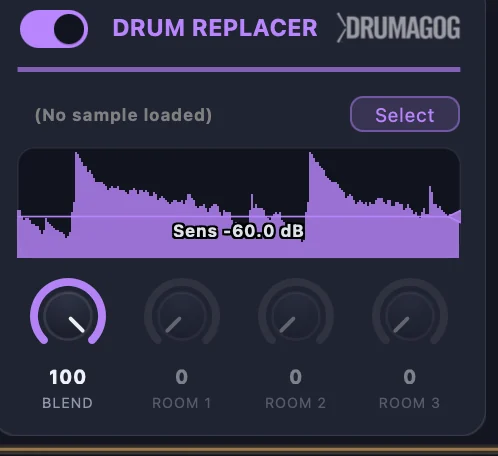
Drum Replacer: sensitivity lane, blend, and room mic levels

TrigNet does the triggering Pro

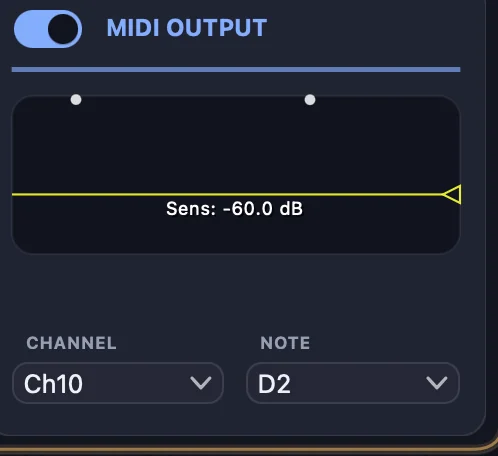
In ReStem 2, every stem can now play a MIDI instrument, and TrigNet is the new engine that makes that happen. TrigNet analyzes each separated drum in real time and sends a MIDI note the moment a hit lands, with a velocity that follows how hard the drum was played. It catches the quiet playing too, like ghost notes and buzz rolls. The default notes conform to the General MIDI drum map, so a standard drum instrument plays correctly before you change a thing, and you can set the channel and note for each stem yourself.

MIDI Output: the live stem waveform with a dot per triggered note

It keeps up with the fast stuff.

TrigNet was built for the kind of drumming that trips up ordinary triggers, like blast beats, double-kick runs, and fast ghost-note rolls. It reads each of those hits as its own note instead of smearing them together. It also stands up well to bleed from the rest of the kit, so a hard crash won't set off a phantom snare. The result is MIDI that comes out clean, without a pile of double-triggers and missed notes to fix afterward.

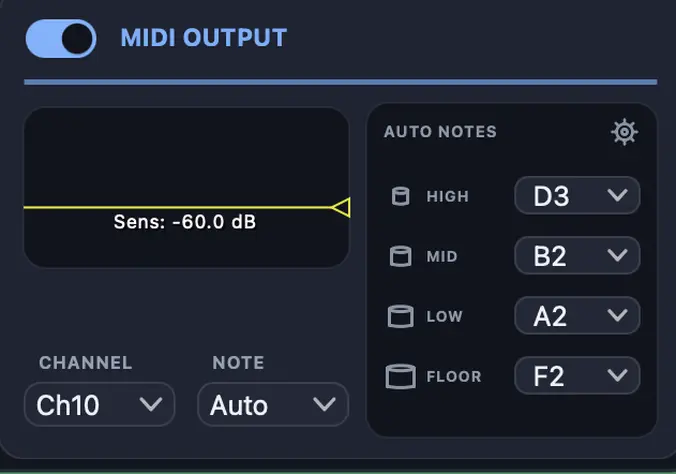
Auto Notes takes care of the articulations. Toms are sorted by pitch into Floor, Low, Mid, and High, and each one gets its own note. Hi-hats come through as Closed, Pedal, or Open, depending on how they ring. A continuous pedal-position controller (CC 4 by default) also goes out just ahead of each note, so an instrument with hi-hat control can follow the real performance.

Auto Notes: per-tom and hi-hat articulation note assignments
← Built-in EffectsIn Your DAW →